
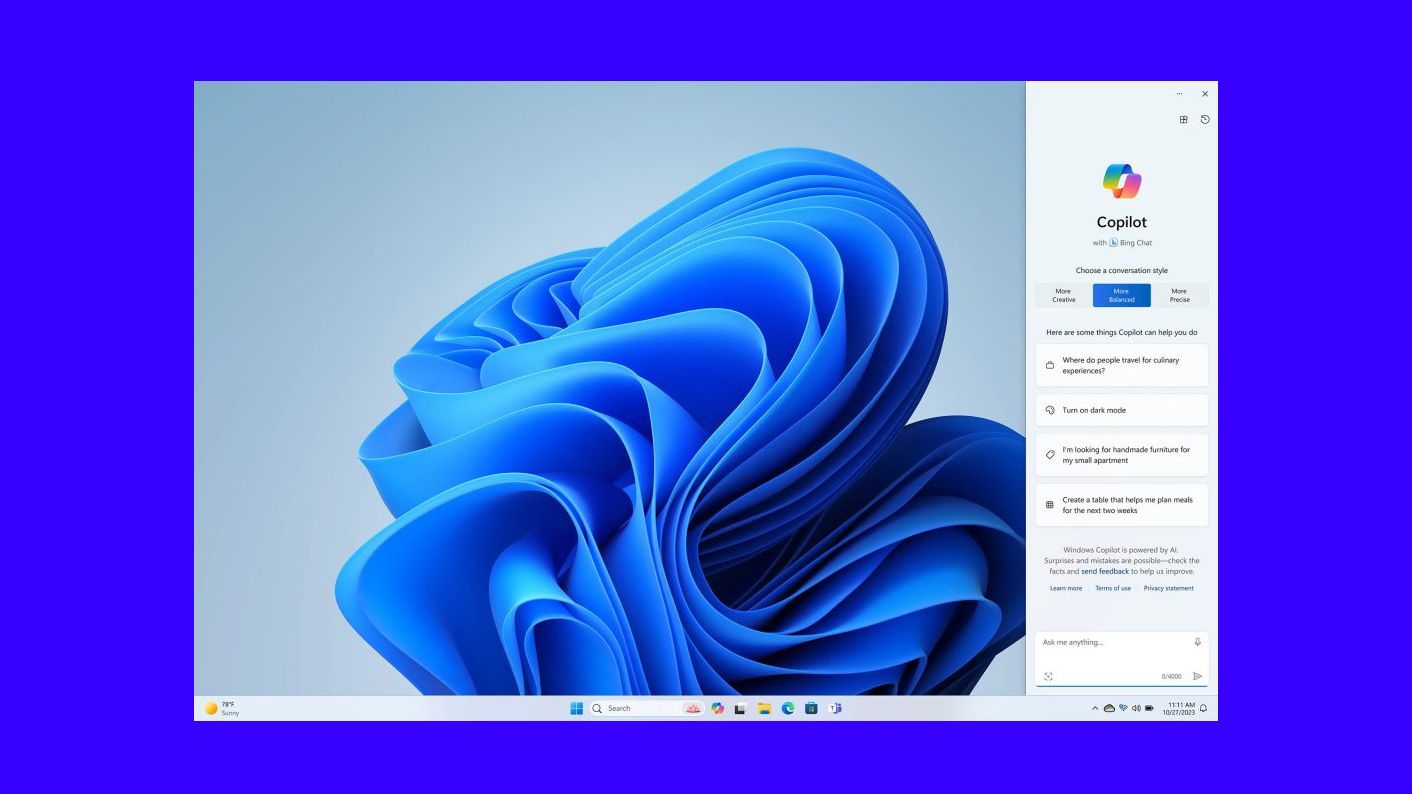
The DoNotSpy11 utility, which contains privacy and anti-tracking tools on Windows 10 and 11, has received a major update that supports the recently released version 23H2, the major 2023 update for Windows 11. Among the new features, the utility offers the option to disable the DoNotSpy11 utility. New Copliot AI and allows you to control predictive text suggestions when using Microsoft apps.
DoNotSpy11 solutions provide the ability to disable most Microsoft telemetry trackers built into Windows 10 and 11, as well as other Microsoft applications such as Office and Edge.
Moreover, the utility makes it easy to configure the access of each application installed on the computer to Windows resources – a function similar to application permissions on mobile phones.
How to disable Copilot with DoNotSpy11
Despite all the new features (which you can see below), the cool feature of the DoNotSpy11 update is the ability to deactivate Copilot – this could also be useful for those who are experiencing errors due to AI in Windows 11.
Before continuing, it’s worth noting that the app is a third-party tool (i.e., not an official Microsoft product). Its solutions aim to provide an additional layer of privacy to Windows customers in the face of growing concerns about the use of AI systems, virtual assistants and personalized ad formats.
To disable Copilot on your computer, do the following:
- Download DoNotSpy 11 from the official website (pxc-coding.com/donotspy11);
- Install and run the software;
- In the Search field, type Copilot to find the corresponding option;
- Check the “Privacy: Disable Copilot” box
- Click Apply to apply the change.
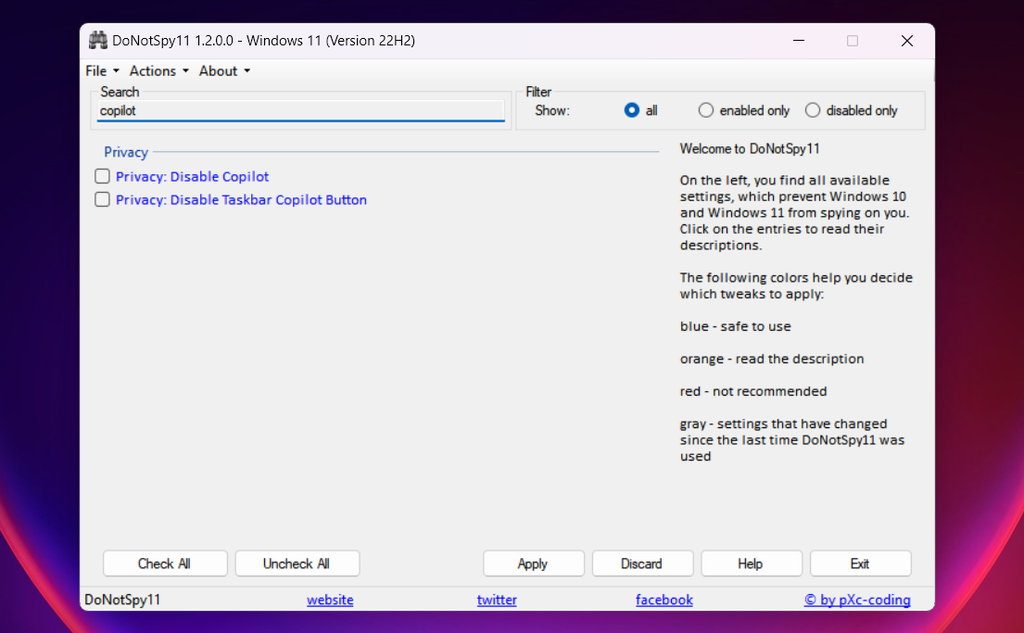
You may need to restart your computer to take effect. Then, when you want to reactivate Copilot, just repeat the same step by step and uncheck the box that deactivates the function.
Support Windows 11 23H2
The DoNotSpy11 update with support for Windows 11 23H2 brings a series of new controls. In addition to the one-click option to disable Copilot, there are several additional features for managing privacy on Edge.
Among the browser’s functions, it is possible to disable the web builder, prevent Discover from accessing page content, disable text prediction, and remove search and shopping suggestions.
DoNotSpy11 has also updated the general privacy settings with functions to disable typo correction and highlighting, remove the Copilot button from the taskbar, and remove tips and other flags from the operating system lock screen.

Chris Skeldon is a contributor to Brytfmonline.com, covering a wide range of topics including news, politics, business, technology, sports, entertainment, and lifestyle. He focuses on delivering clear, accurate, and reader-friendly reporting that helps audiences stay informed about current events and emerging developments. With an emphasis on useful information and balanced storytelling, Chris aims to provide timely coverage of issues and stories that matter most to readers.