
The changes that Microsoft implemented in Windows 11 did not please everyone. Therefore, it is natural that many users turn to customization applications, which make this system even more to their liking. This scenario may change soon, with Microsoft starting to block customization apps in the 24H2 build of Windows 11.

24H2 will be one of the next major updates to Windows 11. This new version will bring another set of new features, which Microsoft will continue to develop and prepare under its Insider Program, where all the improvements and new functionality are introduced.
What was not expected is that this new update will bring restrictions on the customization apps that users are accustomed to using. Reports are increasing and showing that there are many applications that are affected and therefore cannot be used to change Windows 11 even a bit.
-Enderman (@endermansh) April 3, 2024
The first reported case was the StartAllBack app, used to change the Windows 11 image, being blocked. The application is refused to execute in the system, and even updating the system to newer versions is blocked with a very clear error message.
This application cannot run because it is causing security or performance issues on Windows. A new version may be available. Check with your software vendor for an updated version that works on this version of Windows.
There is a simple solution to the problem, but not everyone is comfortable using it. This includes uninstalling the app, updating it, installing it again, and changing the name to anything other than the original blocked name.
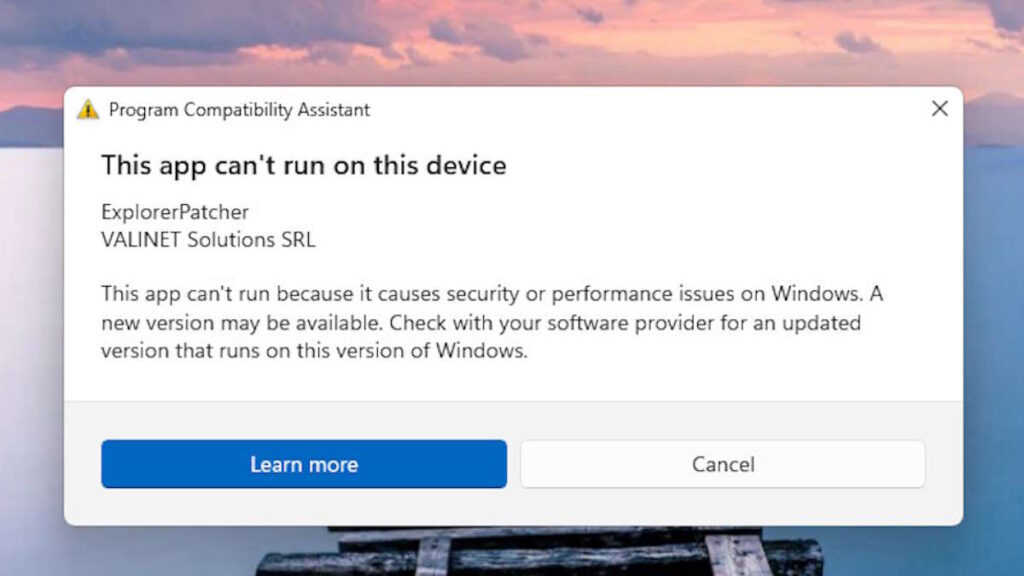
ExplorerPatcher is also blocked in Windows 11, in version 24H2. The behavior is identical throughout, with the same error message. This proposal, like the previous one, is intended to modify the Windows system and make its interface closer to the user.
This stance from Microsoft is curious, and it goes against what the company has accustomed us to with Windows 11 and other versions. It is understandable that you want to limit the use of applications that can cause problems, and what is even stranger is that you only focus on those that change the interface image of your system.

Chris Skeldon is a contributor to Brytfmonline.com, covering a wide range of topics including news, politics, business, technology, sports, entertainment, and lifestyle. He focuses on delivering clear, accurate, and reader-friendly reporting that helps audiences stay informed about current events and emerging developments. With an emphasis on useful information and balanced storytelling, Chris aims to provide timely coverage of issues and stories that matter most to readers.